 Mac app · Free and open source
Talk the way you talk.
Dixity writes it.
Press a key and just talk, “uhs” and all. Dixity drops the filler words, applies your own corrections and types clean, punctuated text wherever your cursor is: an email, a chat, a doc or your AI prompt. Offline or with your own API keys. No account, no subscription.
- macOS 14+ · Apple Silicon
- ~5 MB
- Lives in the menu bar
- English and Spanish
Tosofia@estudiocalma.com
SubjectNovember bookings
What you said
Everything you need
to stop typing.
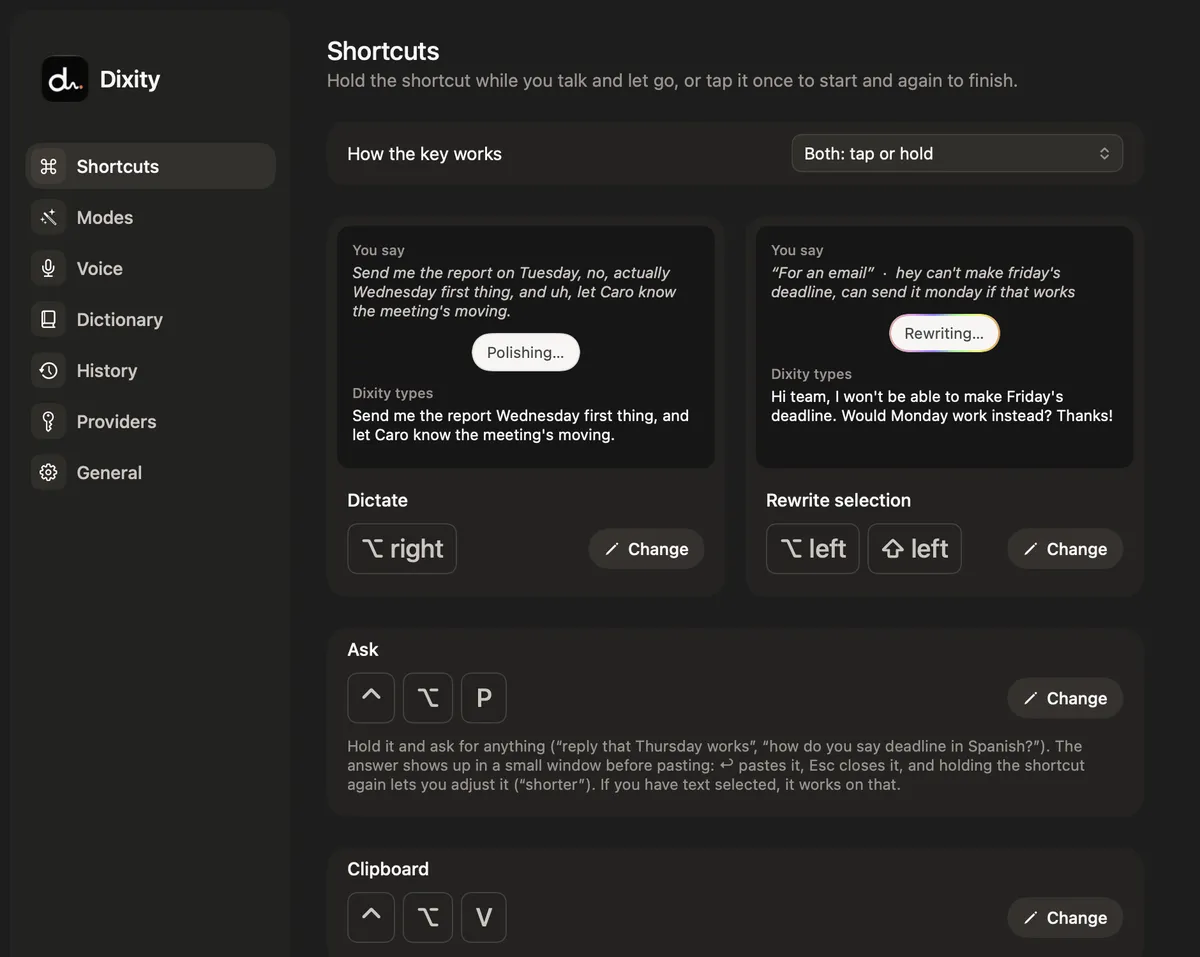
- Dictate in any appHold the shortcut while you talk, or tap once to start and again to finish. Mail, Slack, WhatsApp, your editor or the browser: if there’s a cursor, Dixity types there.
- Understands correctionsSay “at three, no, at four” and you get “at 4”. Filler words go away, and punctuation and capitals land where they should.
- Rewrite your selectionSelect some text, hold the rewrite shortcut and say “more formal”, “make it shorter” or “translate it to Spanish”. The new version replaces the old one.
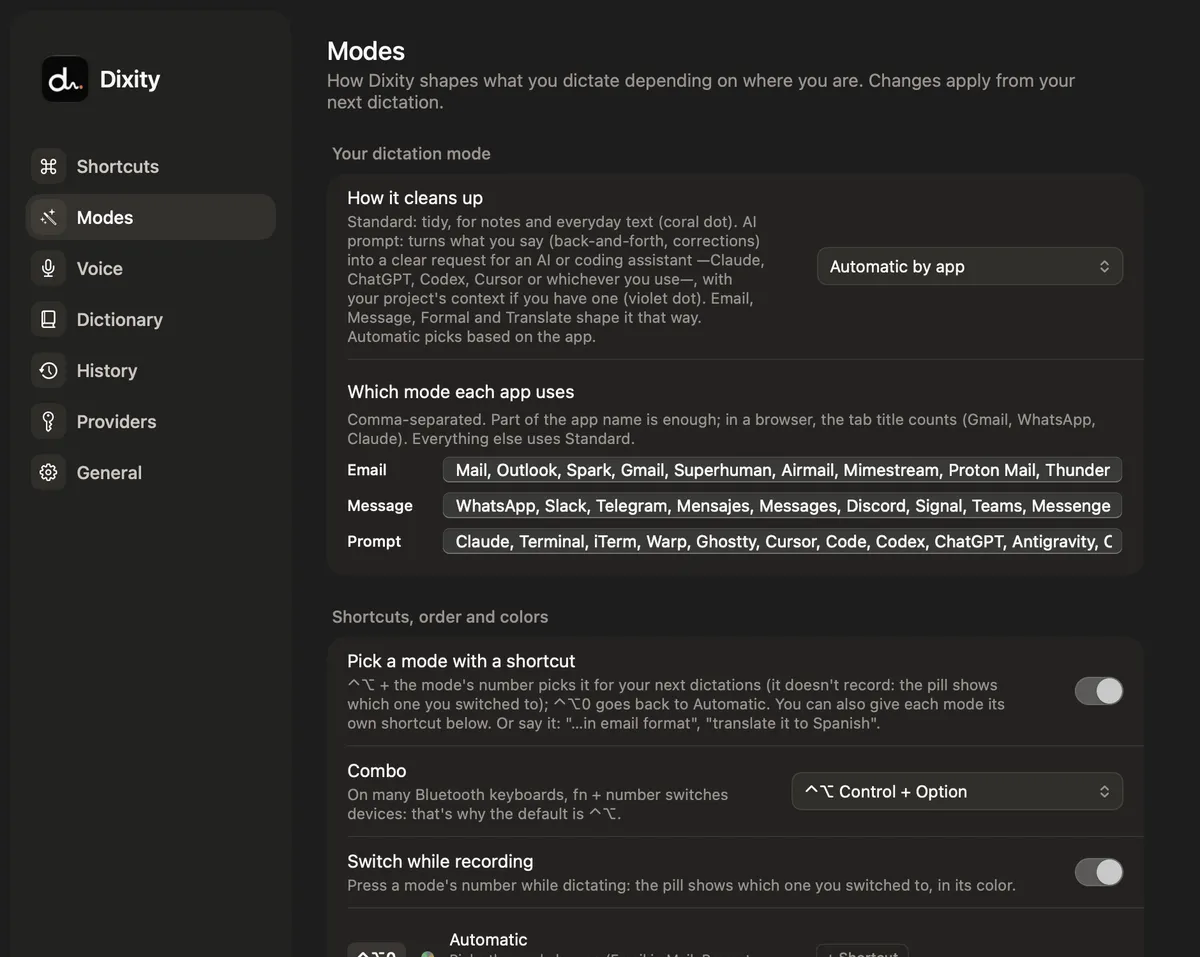
- A mode for every placeStandard, AI prompt, Email, Message, Formal and Translate. Dixity picks one per app, or you choose with ⌃⌥ + number or just by saying “…in email format”.
- Prompts for your AI toolsIn Claude, ChatGPT, Cursor, Codex or the terminal, Prompt mode turns your back-and-forth into a clear request. Optionally it reads your project’s notes to get names right.
- Ask without leaving the appHold the Ask shortcut and say what you need: “reply that Thursday works” or “how do you say deadline in Spanish?”. The answer shows up in a small window before it’s pasted.
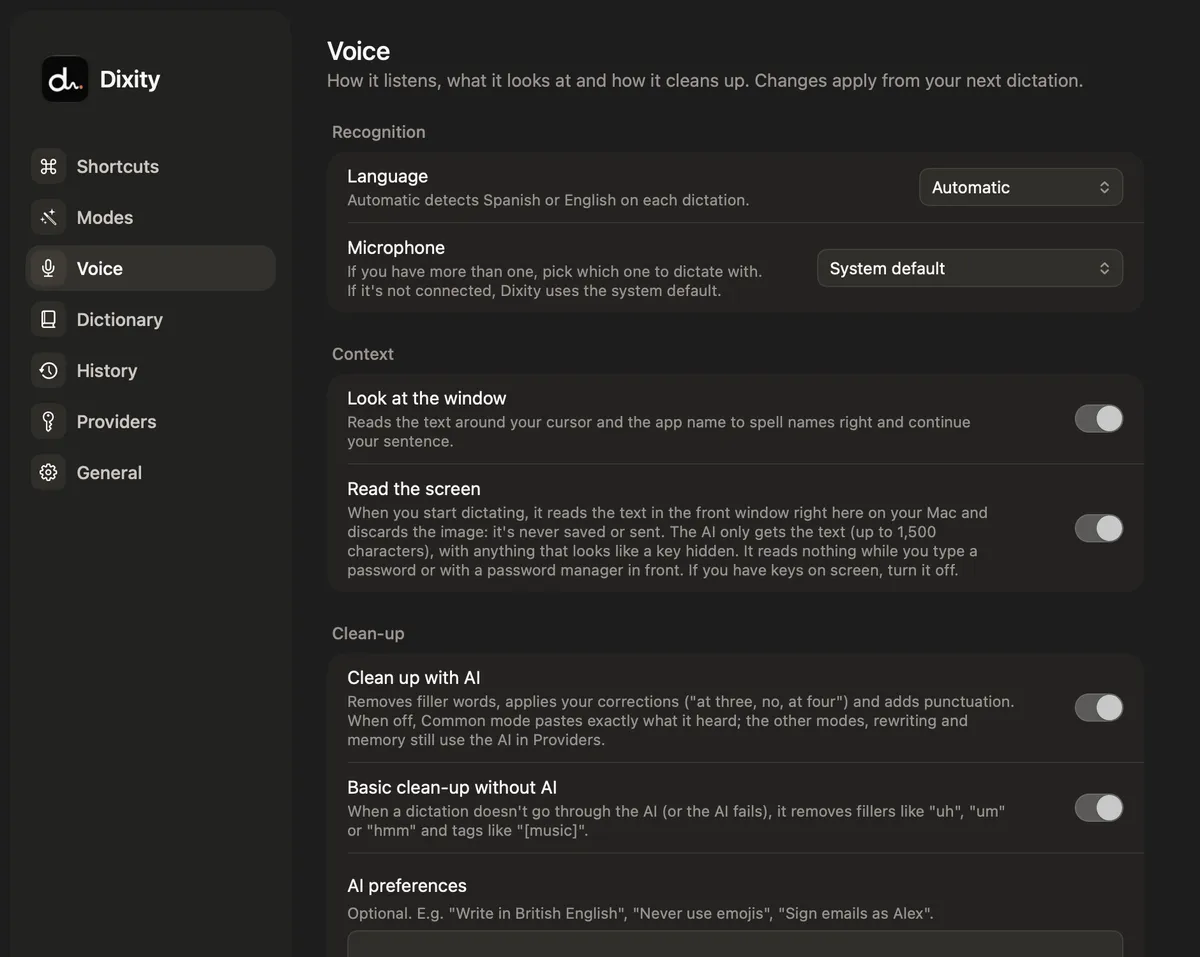
- Gets your names rightIt reads the text around your cursor and, if you allow it, what’s on screen, to spell people, brands and products correctly. It’s read on your Mac: the image is never saved or sent.
- Your own dictionary and memoryA small file on your Mac with the names and terms you use. Add a word with ⌃⌥D, or let your AI keep it up to date every few dictations.
- Actions and per-app instructionsSave your own actions (“Tidy up”, “Summarize”, “Fix spelling”) on a shortcut, and give each app or site its own instruction: “On LinkedIn: professional tone, no emojis”.
- Also:
- Dictation history with audio
- Process the last one again with ⌃⌥R
- 24-hour clipboard (passwords skipped)
- Pick your microphone
- Pause music while dictating
- Basic clean-up without AI
Your voice, on the engine
you choose.
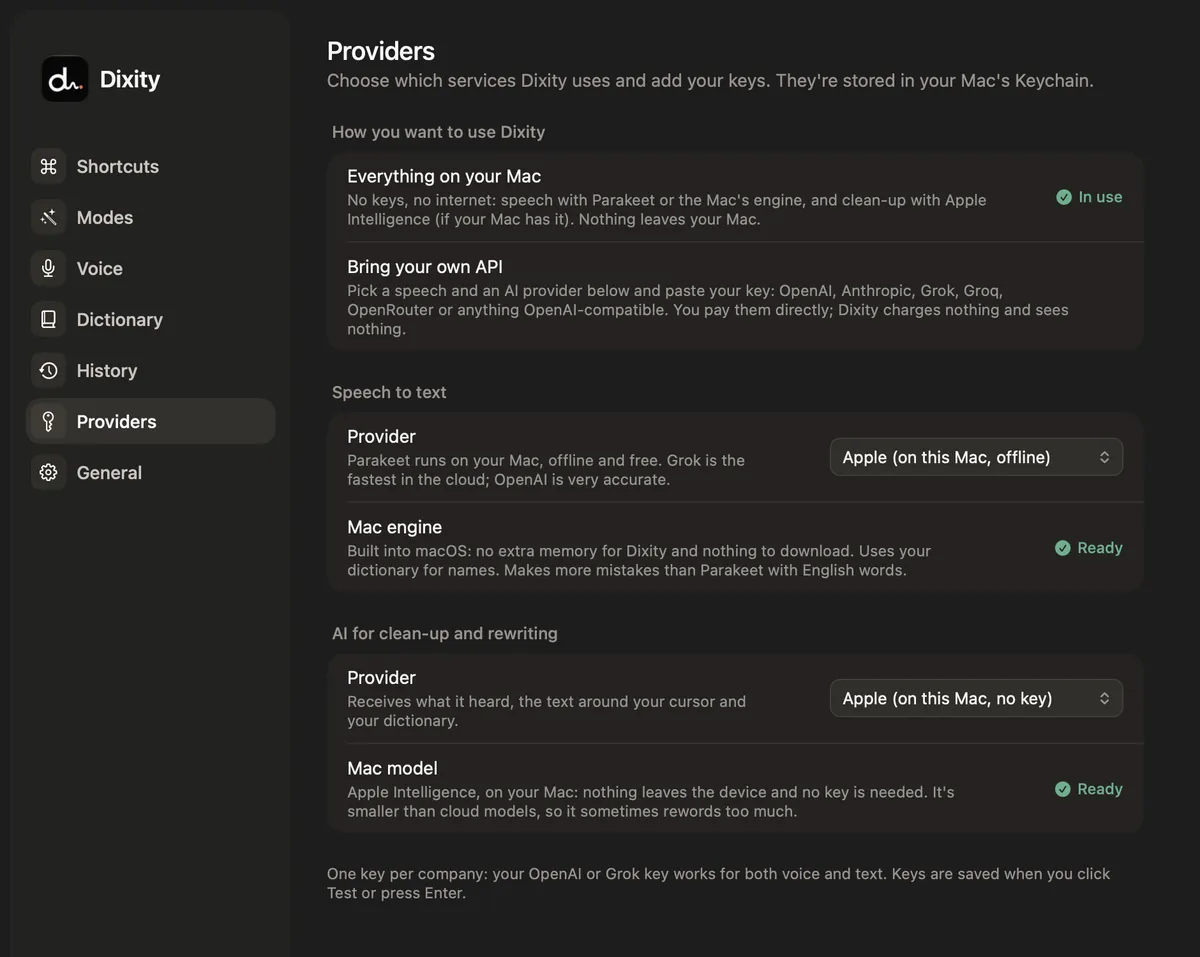
Everything on your Mac, or with the providers you already pay for. Keys live in the macOS Keychain and there’s no server of ours in between.
On your Mac · no keys
- Speech to text
- Parakeet v3 or Ultra (downloaded once, ~460–600 MB) or Apple’s built-in engine on macOS 26.
- Clean-up
- Apple Intelligence on macOS 26, or basic clean-up without AI.
Nothing leaves your Mac.
Your own API keys
- Speech to text
- OpenAI, Grok, Groq (Whisper) or anything OpenAI-compatible.
- Clean-up
- OpenAI, Anthropic, Grok, Groq, OpenRouter or anything OpenAI-compatible.
Audio goes only to the speech provider you chose, and text only to your AI.
Simple on the outside.
Deep when you want it.
Three steps,
zero windows.
- Press the shortcutFrom any app. A tiny pill shows up at the bottom of your screen.

- Talk normallyThe pill shows it’s listening and which mode is on. Press a number while you talk to switch.
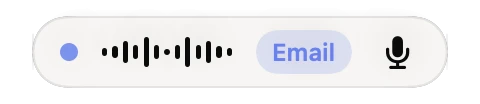
- Let go, doneIn a second or two the text appears where your cursor was. Nowhere to type? It’s copied to your clipboard.

Good
questions.
Is it really free?
Yes. Dixity is open source under the Apache 2.0 license. If you use your own API keys, you pay your provider directly for what you use.
Does it work offline?
Yes: Parakeet or Apple’s engine for speech, and Apple Intelligence (or basic clean-up) for the text. The speech model is downloaded once.
Which languages does it understand?
It’s tuned for English and Spanish and detects which one you’re speaking on each dictation. Translate mode writes in whatever language you ask for.
What does it need from my Mac?
macOS 14 or later on Apple Silicon. Apple’s speech engine and Apple Intelligence need macOS 26. Permissions: Microphone, Accessibility (for the shortcut and pasting) and, optionally, Screen Recording (to read the screen).
How do I install it?
We’re getting the GitHub repository and the Mac App Store listing ready. Once the code is up, it builds with a single command (just the Command Line Tools, no Xcode project). Follow us on Instagram to know when it’s out.
Who made it?
Halyon Team, a small team from Argentina. We built it because we dictate all day.
Open source.
Dixity’s code is going up on GitHub under the Apache 2.0 license, so anyone can use it, study it and improve it. We’re getting the repository ready.
 Follow for updates
- Use it for freeDownload the code, build it and use it on your Mac, at no cost.
- Improve it with usFound a bug or have an idea? Open an issue or send your change.
- The name is oursIf you publish your own version, give it a different name and icon, and keep the credit: “Based on Dixity by Halyon Team”.